
SAP ByD Time Recording21.39.1 - Google Play
You'll be able to see results in few seconds.
Publisher Description
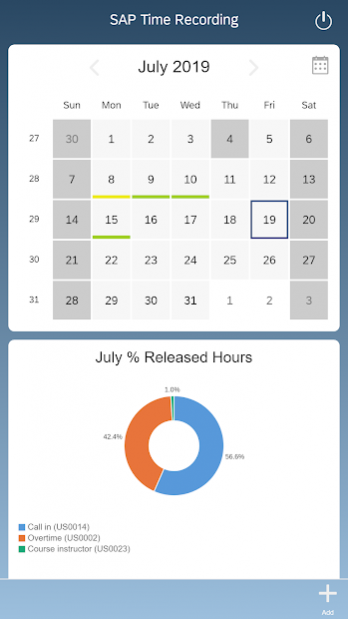
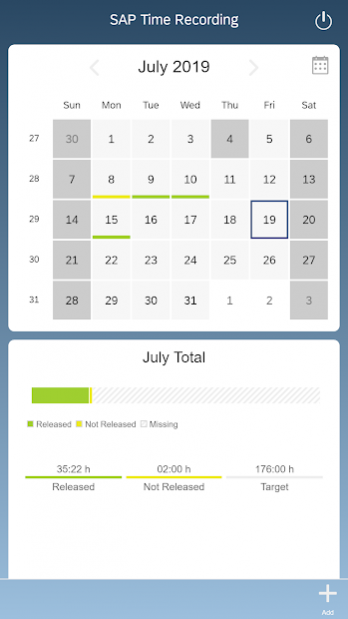
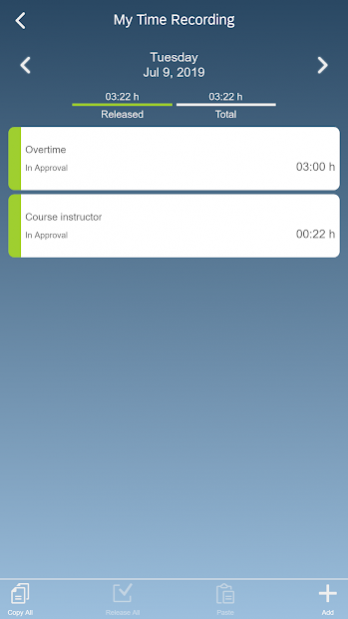
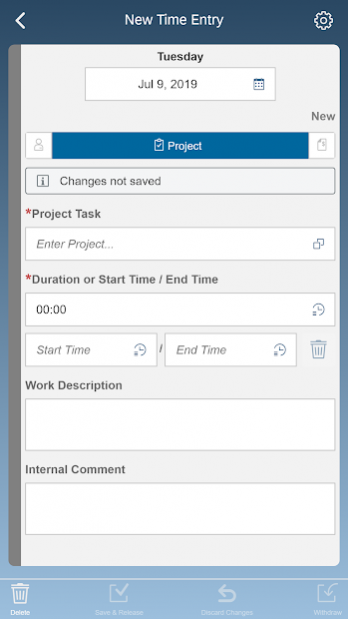
With the SAP Time Recording mobile app for Android, you can create your time confirmations anywhere and anytime. This app connects to the SAP Business ByDesign solution and allows users to record project time and time spent on HR activities right from their Android phone or tablet.
Key features of SAP Time Recording for Android
• Create, change, and delete time confirmations for project tasks, HR activities, and sales orders
• See what you have already recorded for a selected week or month
• Benefit from a mobile-friendly user experience
Note: To use SAP Time Recording with your business data, you must be a user of SAP Business ByDesign.
About SAP ByD Time Recording
The company that develops SAP ByD Time Recording is SAP SE. The latest version released by its developer is 21.39.1.
To install SAP ByD Time Recording on your Android device, just click the green Continue To App button above to start the installation process. The app is listed on our website since 2021-12-01 and was downloaded 0 times. We have already checked if the download link is safe, however for your own protection we recommend that you scan the downloaded app with your antivirus. Your antivirus may detect the SAP ByD Time Recording as malware as malware if the download link to com.sap.byd.tr is broken.
How to install SAP ByD Time Recording on your Android device:
- Click on the Continue To App button on our website. This will redirect you to Google Play.
- Once the SAP ByD Time Recording is shown in the Google Play listing of your Android device, you can start its download and installation. Tap on the Install button located below the search bar and to the right of the app icon.
- A pop-up window with the permissions required by SAP ByD Time Recording will be shown. Click on Accept to continue the process.
- SAP ByD Time Recording will be downloaded onto your device, displaying a progress. Once the download completes, the installation will start and you'll get a notification after the installation is finished.
Program Details
System requirements
Download information
Pricing
Version History
version 21.39.1
posted on 2021-12-01
BUG FIXES
. Fixed the issue that caused the app to crash on Android 8.0
version 21.39.0
posted on 2021-10-22
NEW FEATURES
. Allows initial server URL and user name setting using Mobile Device Management
. Supports Android 12
. Security improvements
version 21.16.3
posted on 2021-08-11
BUG FIXES
. Option to temporarily defer updates with minor changes
. Supports time periods blocked by time administrator in desktop app
. Not required and not used write permissions removed from calendar
. Details about used SAPUI5 version added to technical information
version 21.16.1
posted on 2021-06-28
BUG FIXES
. Support for optional downloads
version 21.16.0
posted on 2021-05-06
WHAT'S NEW
. Supports time recording based on service order items
. Supports pre-delivered extension fields as well as fields Country/Region (Time Recording) and State (Time Recording)
. Improved icon display for notifications
. Optimized UI experience
. Security and technical enhancements
version 20.16.6
posted on 2021-03-19
BUG FIXES
. Adjusted text direction of input fields for Hebrew
version 20.16.4
posted on 2021-02-24
. Compatibility changes
version 20.16.3
posted on 2021-01-26
. Security and usability improvements
version 19.26.4
posted on 2019-09-11
. Support for latest Android operating system
version 17.39.1
posted on 2018-01-22
• Technical improvements
Disclaimer
Official Google Play Link
We do not host SAP ByD Time Recording on our servers. We did not scan it for viruses, adware, spyware or other type of malware. This app is hosted by Google and passed their terms and conditions to be listed there. We recommend caution when installing it.
The Google Play link for SAP ByD Time Recording is provided to you by apps112.com without any warranties, representations or guarantees of any kind, so access it at your own risk.
If you have questions regarding this particular app contact the publisher directly. For questions about the functionalities of apps112.com contact us.
